
Design is an iterative process which often necessitates reassessment of design parameters and constraints. When optimization is used in assisting design, engineers may find themselves asking “what if” a constraint was relaxed slightly, or a parameter was allowed more flexibility? When computer models are complex or computation resources are limited, it may be infeasible to answer these questions by traditional means.
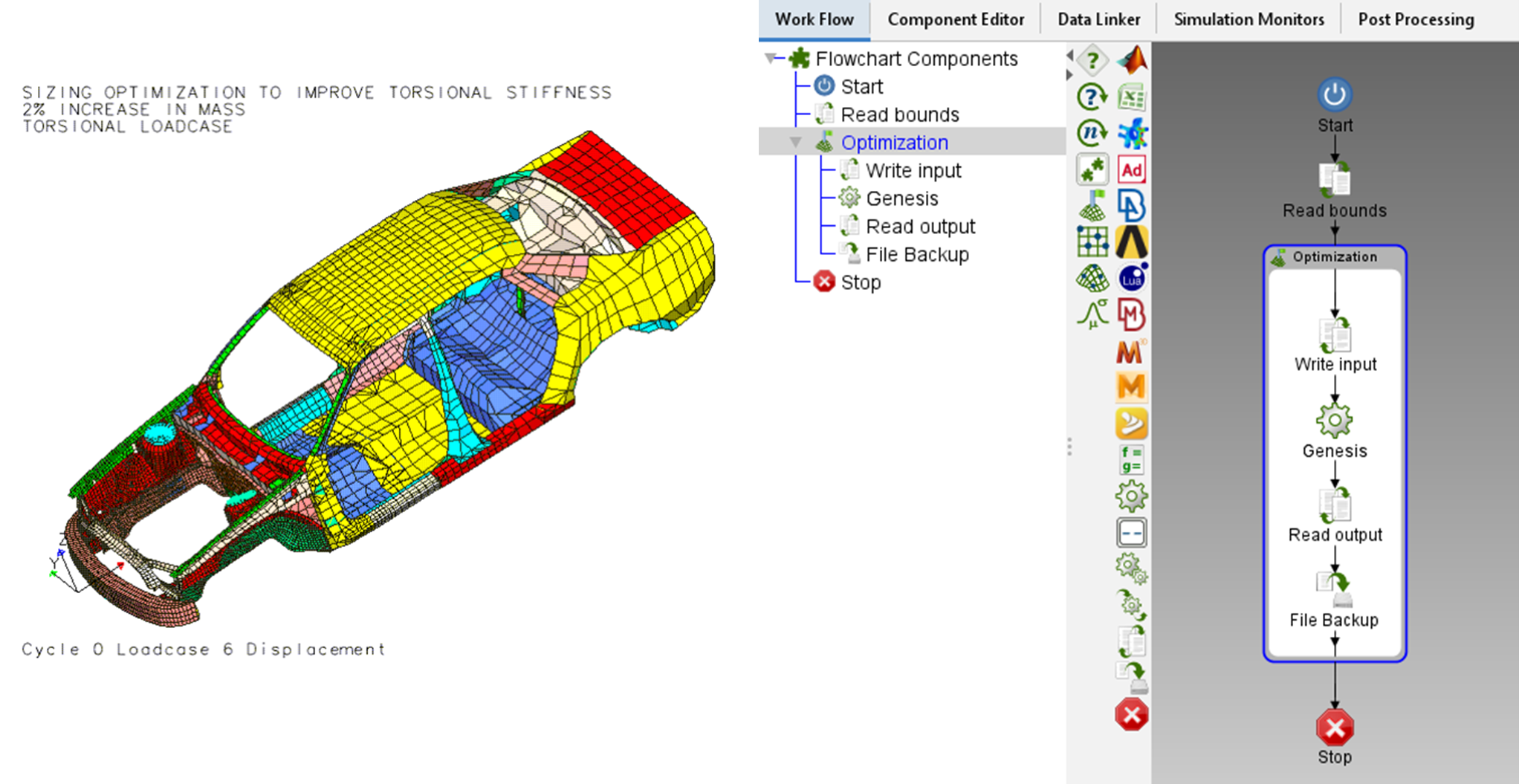
Figure 1: Torsional stiffness optimization of a car body model (left) with an ILIAD workflow (right) using Genesis’ finite element analysis capability.
Introducing ILIAD’s What-If tool. The brainchild of our late founder Dr. Garret Vanderplaats, the What-If tool allows engineers and designers to explore the impact of their design parameter limits and constraint bounds without needing to rerun any simulations. Using data gathered from an optimization sub-flow, ILIAD constructs a reduced order model of the underlying analysis which may be used as a proxy for a complete simulation when assessing the affects of minor adjustments of variables bounds.
The workflow shown in figure 1 represents a sizing optimization in which part thicknesses of a car chassis are optimized for torsional stiffness subject to a mass constraint. This problem is a good candidate for the What-If tool both because the analysis is complex and because designers may reassess their mass requirements and thickness restrictions in various design iterations.
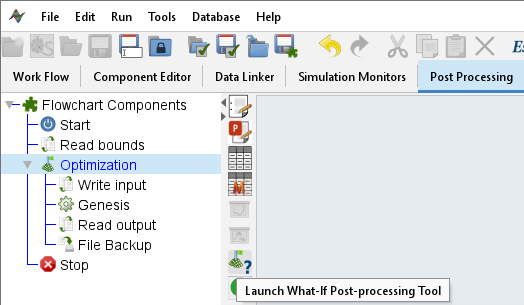
Figure 2: What-If tool is found by selecting the desired optimization from the Flowchart Components tree in the Post-Processing tab.
What-If allows users to select variables to include in follow-up optimizations of the reduced order model, which can return new optimum in real time if variable limits are changed or a constraint is relaxed or tightened. This instant human-machine feedback is perfect for designers looking to squeeze the best possible performance out of their parts and in the case of mass-production, a few extra pounds off a car body may mean millions of dollars in savings in materials and downstream costs.
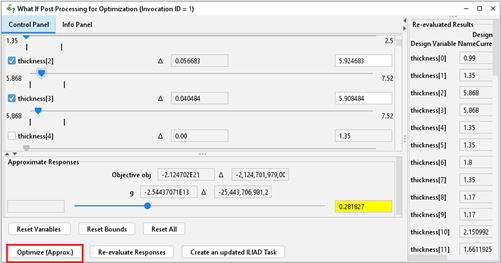
Figure 3: Main What-If panel showing bounds and value of each variable, approximated responses, and reevaluated response values. Approximate optimization highlighted in lower left.
If a more suitable result is projected by What-If than the original optimization, the What-If tool can rerun the analysis to validate the new design point.
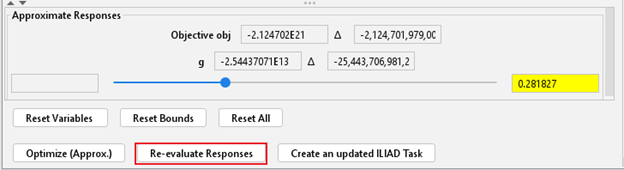
Figure 4: The button to call the analysis to reevaluate the responses using new design variables is found at the bottom of the panel.
If the bounds of design parameters are altered, the What-If tool can create a duplicate workflow as a new task in the project that uses the altered variable limits. This assists in project management when an engineer wants to compare and store results of optimizing a system subject to different design considerations.
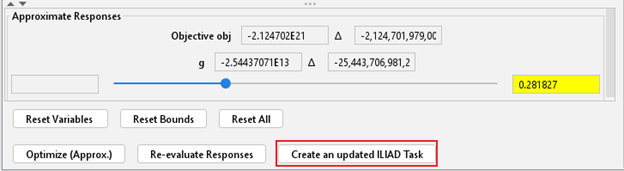
Figure 5: Button to create a new task in the project using the new variables bounds.
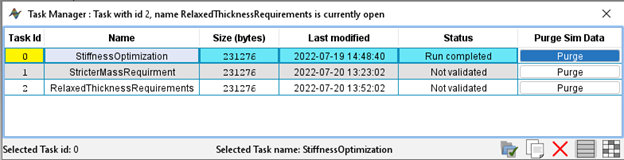
Figure 6: Window showing tasks representing various design requirement cases for a chassis torsional stiffness optimization created by the What-If tool.
Check back for weekly tips and tricks to learn how ILIAD and the What-If tool can assist engineers deliver better designs in less time!