

Oftentimes, an optimization study is a single step in the solution process chain. As such, its configuration is dependent on the outcome of the component before it and it affects the configuration of the next component. To build such a workflow, we must enable and link key data parameters between the components involved in the process.
For example, in the workflow shown above, the bounds and initial values for an optimization component are determined by a python script and the optimal point is supplied to the next analysis.
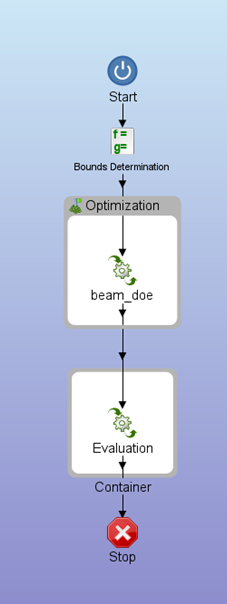
This workflow is built as follows:
- Starting with the python component, we derive the upper bounds and lower bounds for the six design variables (W1, W2, W3, H1, H2 and H3) using the initial values and Interval length.
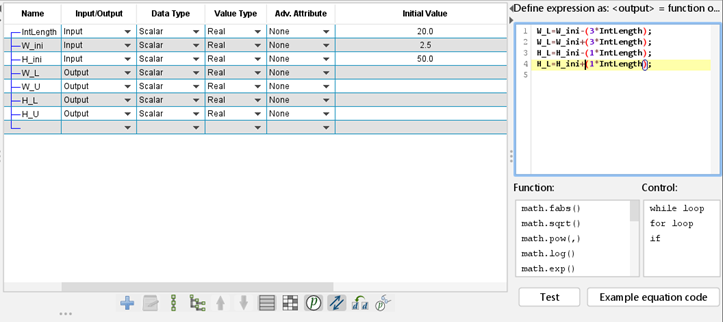
2. Next, we want to transfer these values to the corresponding variables inside the optimization component. First, we enable the parameters option by clicking on the button in the toolbar below the component editor table inside the optimization component.
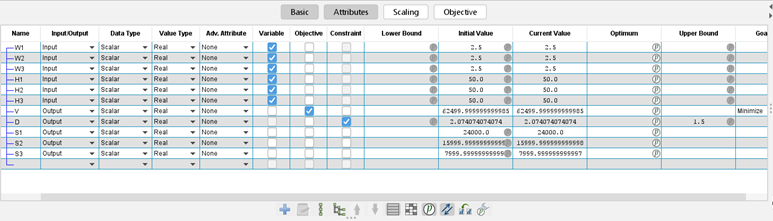
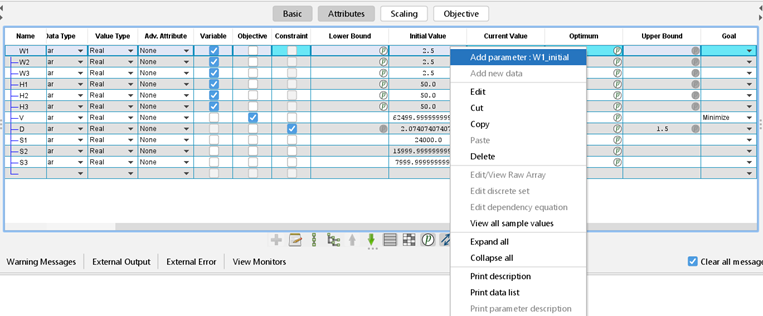
- After that, we add parameters for the values of interest by right clicking and selecting the ‘Add parameter’ option.
- Next, we switch to the Data Linker tab and make appropriate connections using drag-and-drop between the source (on the left) and the destination (on the right) variables.
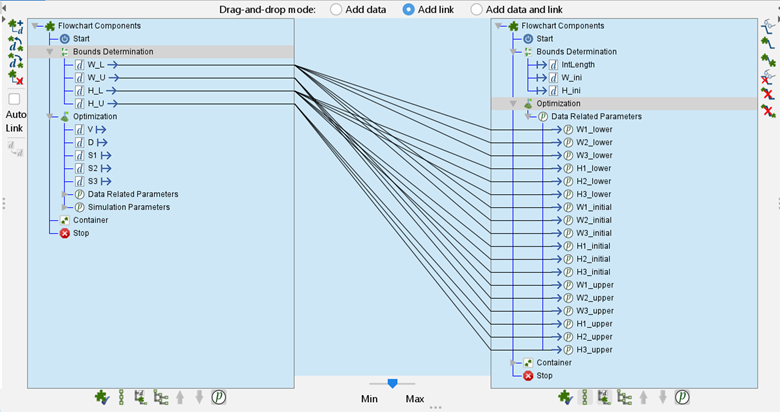
In this case, we are supplying the W_L value as the initial value and the lower bound and W_U as the upper bound for W1, W2 and W3, which belong the optimization component.
4. We repeat the procedure for transferring data between the optimization component and the last evaluation component. The complete set of data linkages is displayed below:

The workflow is now configured to share initial values and bounds between components!