
Blog
Latest Entries

Regression Analysis Using the DOE Component
In this week’s blog installment, we delve into the most powerful capability of the DOE component which is regression analysis. This is the most powerful utility of the DOE component and can be used in several different ways. Put simply, regression means creating...

Automated Design Evaluation Using DOE
In this week’s blog, we continue with design of experiments (DOE) component. In last week’s installment, we saw how the DOE component can generate designs for efficiently exploring the design space. Today, we will see how the DOE component can automate design...

No, ‘DOE’ Does Not Mean the Department of Energy!
One of the most popular tools that engineers use to systematically explore the design space and improve design solutions is the good old design of Experiments a.k.a DOE. A DOE aims to extract meaningful underlying relationships between the inputs and outputs with...

List Filtering in Design Studio for GENESIS®
Finite element models often contain very large amounts of data. Design Studio helps you organize the data by dividing it into fundamental tab areas: Analysis, Topology, Design, or Post. Data is further subdivided into categories, for example, the Analysis Tab has...
Check Results While Optimization Is Running In GENESIS® for Ansys® Mechanical (GSAM®/GTAM®) – Part II
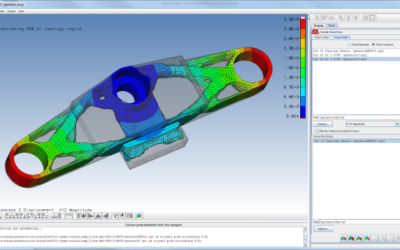
In the last article, we introduced the capability of ‘Show Result in DSG Viewer’, which allows us to check the results while optimization is running in Ansys Mechanical. In this article, we will show how to use DSG Viewer to post-process the results. In DSG Viewer,...
Check Results While Optimization Is Running In GENESIS® for Ansys® Mechanical (GSAM®/GTAM®) — Part I
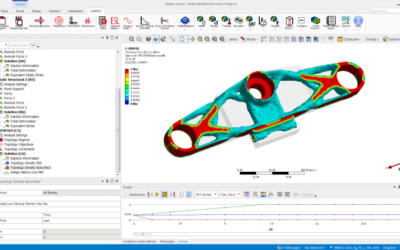
Genesis® for Ansys® Mechanical (GSAM/GTAM) adds the power and versatility of Genesis® structural optimization capability to the ANSYS environment. Engineers can enlist the rich breadth of Genesis® optimizations, performing optimization data definition, solving, and...

“What if?” – Exploring robustness of design through Trade-off Analysis
Have you ever asked yourself what your designs might be like if you had the opportunity to make your constraints tighter or looser? In the process of automatically pursuing the potential perfection of your design, Genesis® automatically produces analysis data that enables a designer to perform trade-off assessments to explore new possibilities. Most Computer-Aided Engineering (CAE) tools work within the designer’s-imposed constraints driving toward optimization. Unlike most every other CAE offering, Genesis® guided design synthesis enables the designer to conduct sensitivity analyses testing the effect that changes in one or more constraints would have on the optimized design characteristics.
Connect with us now for complimentary webinars and evaluation software.
Our engineering team can work with you to conduct a Test Case showing how OmniQuestTM will improve your designs, processes and your overall business.