
Blog
Latest Entries
Options for Your Viewport
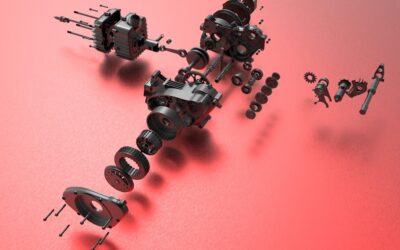
Design Studio for Genesis® provides several options to change how things are displayed in the viewport window. You can change the size of arrows, set the limit angle for defining feature lines and limit the number of labels that appear. Perhaps most interesting is...

Topology Optimization for Thermal-Mechanical Coupled Systems
Genesis® for Ansys® Mechanical (GSAM/GTAM) adds the power and versatility of Genesis® structural optimization capability to the ANSYS environment. In this article, we would like to show how to perform topology optimization for thermal-mechanical coupled systems....

Using Lua Scripts with Design Studio for Automatically Creating PowerPoint Slides and Excel Spreadsheets Containing GENESIS Optimization Results
Lua scripts can be used with Design Studio to automate tedious tasks. One such script gives the user the ability to create slides of parts with their masses and thicknesses rapidly. This can be applied to shell parts being optimized by sizing for thickness. Within a...
Design of a Lattice Structure using Topometry Optimization and the GENESIS Software
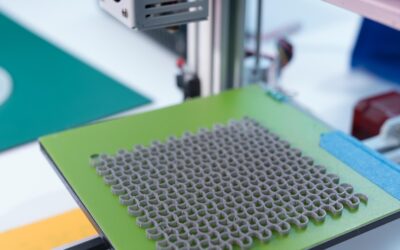
Lattice structures can be printed today using 3D printers. One question that arises is how to find the optimal dimensions of the lattice members. In this blog we want to address that question. As discussed in one of our previous blogs, “Fast Structural Analysis of...

Designing Better Experiments with ILIAD
When designing a digital or physical experiment with several variables (or more) it can be difficult to choose parameter value combinations that faithfully capture the design space. The distribution of design points can radically alter our perception of the behavior a...

Using Data Parameters for Data Transfer
Oftentimes, an optimization study is a single step in the solution process chain. As such, its configuration is dependent on the outcome of the component before it and it affects the configuration of the next component. To build such a workflow, we must enable and...

Make a Catalog of Your Views
Being able to easily get the right views of a model is very important to understanding the insights it can provide. Design Studio for Genesis® provides quick access to the six standard axis views and eight isometric views via buttons in the viewport toolbar. You can...

Freeform Optimization to Reduce Stress
Genesis® for Ansys® Mechanical (GSAM/GTAM) adds the power and versatility of Genesis® structural optimization capability to the ANSYS environment. In this article, we would like to show how to perform freeform optimization to reduce stress. Freeform optimization is a...

Topology Optimization with Enforced Features
Background of Topology Optimization in GENESIS Topology optimization capabilities in the GENESIS software allow its users to improve practically any type of structures as most of finite element responses available in analysis (statics, normal modes, frequency...

Shape Optimization of a Steel Bracket
In this blog we are going to cover the design of a simple stamped steel bracket that was optimized for minimum mass and minimum stress using shape optimization with the GENESIS structural optimization software and its GUI Design Studio. The FEA model is made with...
Connect with us now for complimentary webinars and evaluation software.
Our engineering team can work with you to conduct a Test Case showing how OmniQuestTM will improve your designs, processes and your overall business.