
The modern engineering design process commonly involves numerous commercial and in-house analysis programs. In order to accommodate custom codes and software without dedicated interfaces, ILIAD offers the Executable and File I/O components, which allow users to add almost any analysis to their workflows. Any batch-capable program that accommodates ASCII file inputs and outputs can be easily integrated with ILIAD’s algorithms and process automation.
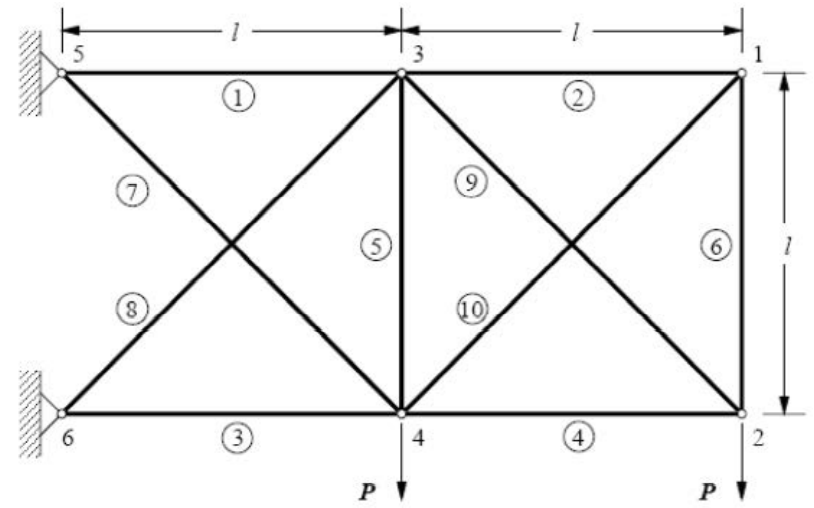
Consider a custom analysis of a truss structure under load. Our goal as design engineers is to minimize the mass of the structure while ensuring stress and deflection are sufficiently small.
In ILIAD, we use one File I/O component to modify the inputs file, an Executable component to call our analysis program, and another File I/O component to read the output file.
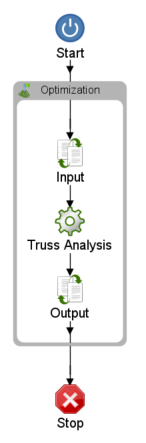
The File I/O component can recognize important values either by position or relative to keywords and allows ILIAD’s optimization and design of experiments algorithms to automatically dictate values to the input file and retrieve results from the analysis output file.
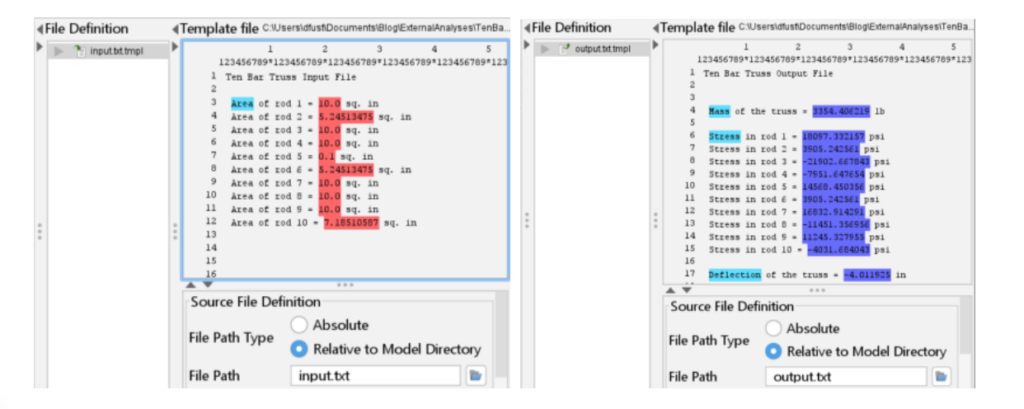
Together, the Executable and File I/O components behave much like our dedicated interfaces (e.g. ANSYS, Excel, TAITherm, etc. components) so engineers can utilize ILIAD’s intuitive UI to pass dynamic data between almost any custom or commercial analysis software and apply powerful proprietary designed exploration tools.
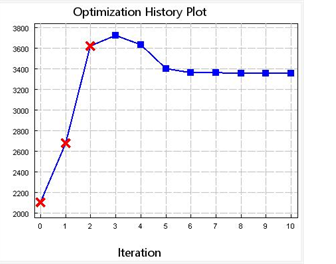
These flexible components are a critical piece in fulfilling ILIAD’s mission of making optimization universally accessible to all analysts who use quantitative analysis to make better decisions in their work.
Check back weekly for more tips, tricks, examples, and deep dives of OmniQuest software!