One of the most popular tools that engineers use to systematically explore the design space and improve design solutions is the good old design of Experiments a.k.a DOE. A DOE aims to extract meaningful underlying relationships between the inputs and outputs with minimal investigation. Since DoE is such a simple yet incredibly powerful tool, it was one of the first additions to Iliad™ Design Exploration and Automation Studio. The DOE component in Iliad is quite versatile and can perform three different roles which will be described in this series of blog posts. The user can select the desired role using the DOE Action radio buttons in the Component Editor tab.

The first utility of the DOE component is to generate a ‘design’ or evaluation plan. The ‘design’ in this case refers to a collection of input variable combinations that need to be evaluated either experimentally or using simulations. The ‘design’ is aimed at efficiently occupying the design space envelope with as few points as possible. Let me demonstrate this using a simple example.
Consider a beam with different sections as shown in the figure below. One may ask, does changing the cross-section influence how much material is needed to make it and how much it deforms? If yes, by how much?
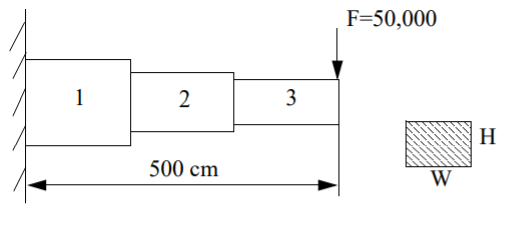
So, the next step is to create multiple beams, with different values for the cross-sections in each of its three spans. These beams are then tested, and the volume and deformation are measured. But how many beams to create and what should their cross-sectional dimensions be? Surely, too few beams may not yield sufficient information and too many would be a waste of time and effort. To that end, we can use the ‘design’ or seeds generated by the DOE component.
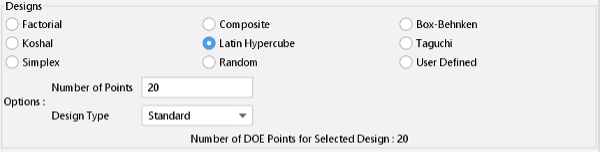
The DoE component inside Iliad offers 9 different design options (15 including variants). These include widely used options such as Factorial, Taguchi, Latin Hypercube, Simplex etc. Additionally, the user has the option to supply their own design. By selecting the desired option, the user has the design generated for them with the click of a button.